Hundreds of laptops,
and none of them yours.


Karel de Grote Hogeschool needed a way to monitor student computers during exams. Instructors had no visibility into whether students were connecting to external networks, running virtual machines, or launching unauthorized applications.
The existing approach relied on watching the room, which does not scale across exam halls with hundreds of machines, most of them the students' own laptops. KDG needed something that checks each machine before the exam begins, records what matters while it runs, and hands the result in with the exam. Students see the whole thing: they log in, the app tells them what to change, and they submit the log themselves at the end. The monitoring falls under the study-data agreement they sign at enrolment.
- 3
- operating systems, one codebase
- 6
- signals watched during the exam
- 1
- encrypted log, handed in with the work
- 0
- people who can read it without the instructor's key

Building a desktop monitoring tool that captures system-level activity across Windows, macOS, and Linux requires going beyond what Dart can do alone. Network packet capture, VM detection, and hardware enumeration all need native code.
Using our six-step framework, we built a Flutter desktop app in Dutch and English that wraps C and C++ libraries via dart:ffi, encrypts what it records on the machine itself, and gives instructors a CLI tool to open those logs afterwards.
1. IDENTIFY & VALIDATE
We worked with KDG's IT team to define what 'exam integrity' means in practice. We identified six monitoring dimensions: network connections, Bluetooth status, connected adapters, running applications, VM presence, and system heartbeat. Each was validated against real exam scenarios.
1. IDENTIFY & VALIDATE
We worked with KDG's IT team to define what 'exam integrity' means in practice. We identified six monitoring dimensions: network connections, Bluetooth status, connected adapters, running applications, VM presence, and system heartbeat. Each was validated against real exam scenarios.

2. IMPACT MAPPING
We mapped each monitoring capability to an exam integrity outcome. Network monitoring catches unauthorized internet access. VM detection prevents sandboxed environments. Application monitoring flags prohibited tools. Each feature was prioritized by how often the corresponding violation actually occurs.
3. TECHNICAL AUDIT
We assessed whether Flutter desktop could handle real-time system monitoring. The audit showed that packet capture and virtual machine detection both need native code. We chose dart:ffi with generated bindings rather than platform channels, since FFI avoids the serialization overhead that packet-level monitoring cannot afford.

4. INTERACTIVE PROTOTYPING
We built standalone FFI wrapper packages around the C and C++ libraries, each with its own test suite, and validated them on Linux, macOS and Windows separately before integrating with the Flutter app. That caught the platform-specific build issues early.
5. DEVELOPMENT & LAUNCH
The app was built as a monorepo with the Flutter UI, two FFI wrapper packages, and a Dart CLI decryption tool. All monitoring data is encrypted with AES-GCM before it is written to disk, and only an instructor with the matching key can read it back. The student logs in with their exam code, works through the checklist the app puts in front of them, and starts the exam when the machine is in the right state.

6. ITERATE & OPTIMIZE
After the first rollout we added adapter detection per platform, refined the heartbeat so attempts to close the app show up, and made the encrypted log format faster for instructors to work through.
The result runs on every exam machine, whatever it boots and whoever owns it. It puts the student through a pre-flight check, records six kinds of system activity while the exam runs, and hands over one encrypted log that only an instructor can open.
Facing a similar challenge?
A checklist first, then six things it watches
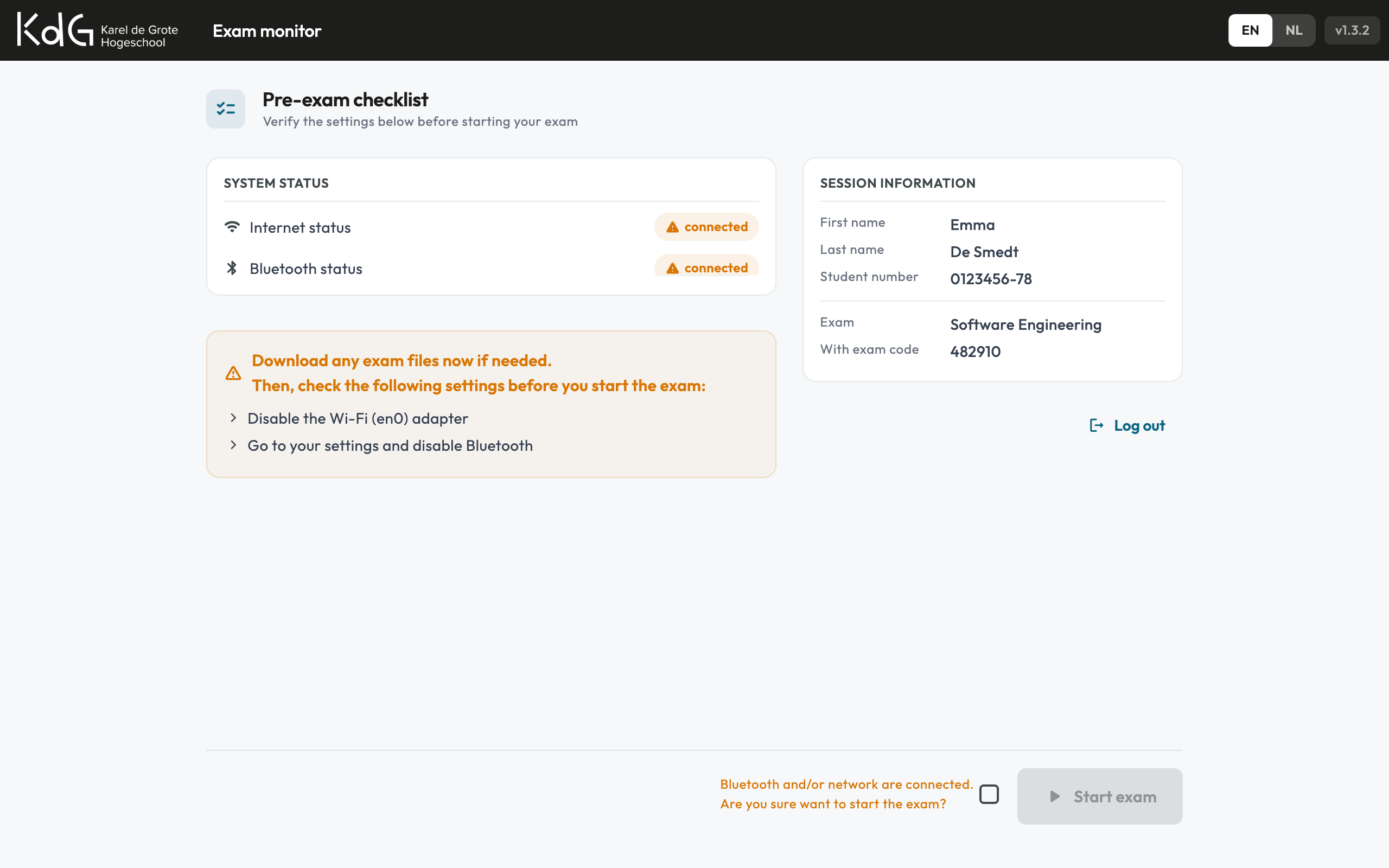
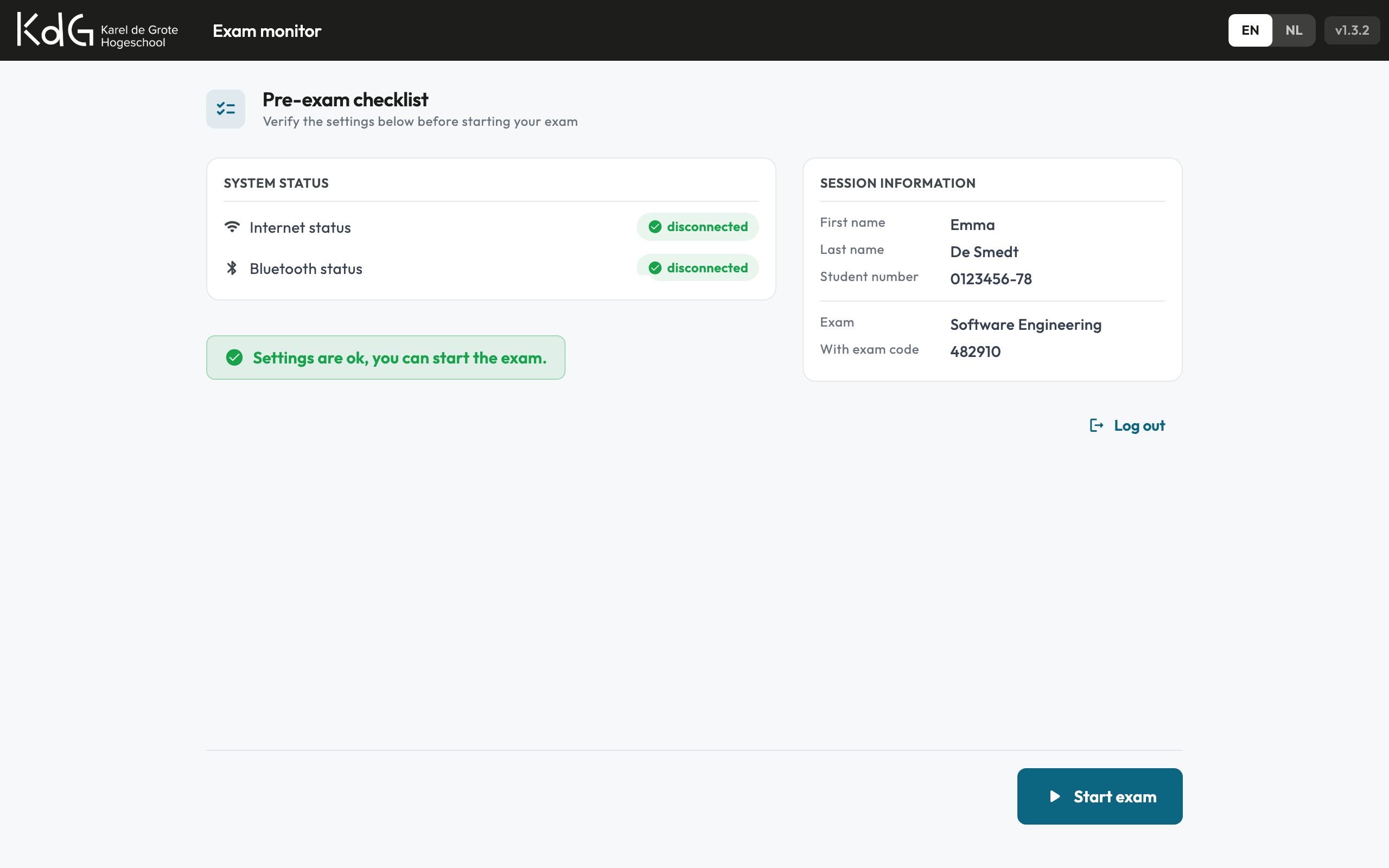
Before the exam starts, the tool shows the student what is still wrong and will not let them begin until it is fixed. During the exam it watches the system from six angles, timestamping and encrypting every event where it happens.
Real-time packet inspection through a native library. Captures TCP, UDP and ICMP traffic with source and destination addresses, ports and protocol flags. Runs in a separate Dart isolate so the interface never blocks.
Detects VMware, VirtualBox, Hyper-V and other hypervisors through a C++ library behind an FFI wrapper, and reports both how certain the detection is and which hypervisor it found.
Enumerates physical and virtual network adapters with their hardware details, and notices when one is connected or removed during the exam. Each platform is handled the way that platform allows.
Tracks running processes and flags prohibited applications. Detects when new applications are launched or existing ones are terminated during the exam session.
Reports whether Bluetooth is on before the exam starts and whether it comes back on during it. This is the one students most often forget, so the checklist calls it out by name.
A steady signal that says the app is still running. A gap in it is as interesting as anything in the log, because it is what quitting the tool mid-exam looks like.
Flutter desktop with C/C++ native wrappers, encrypted local storage, and a CLI decryption tool
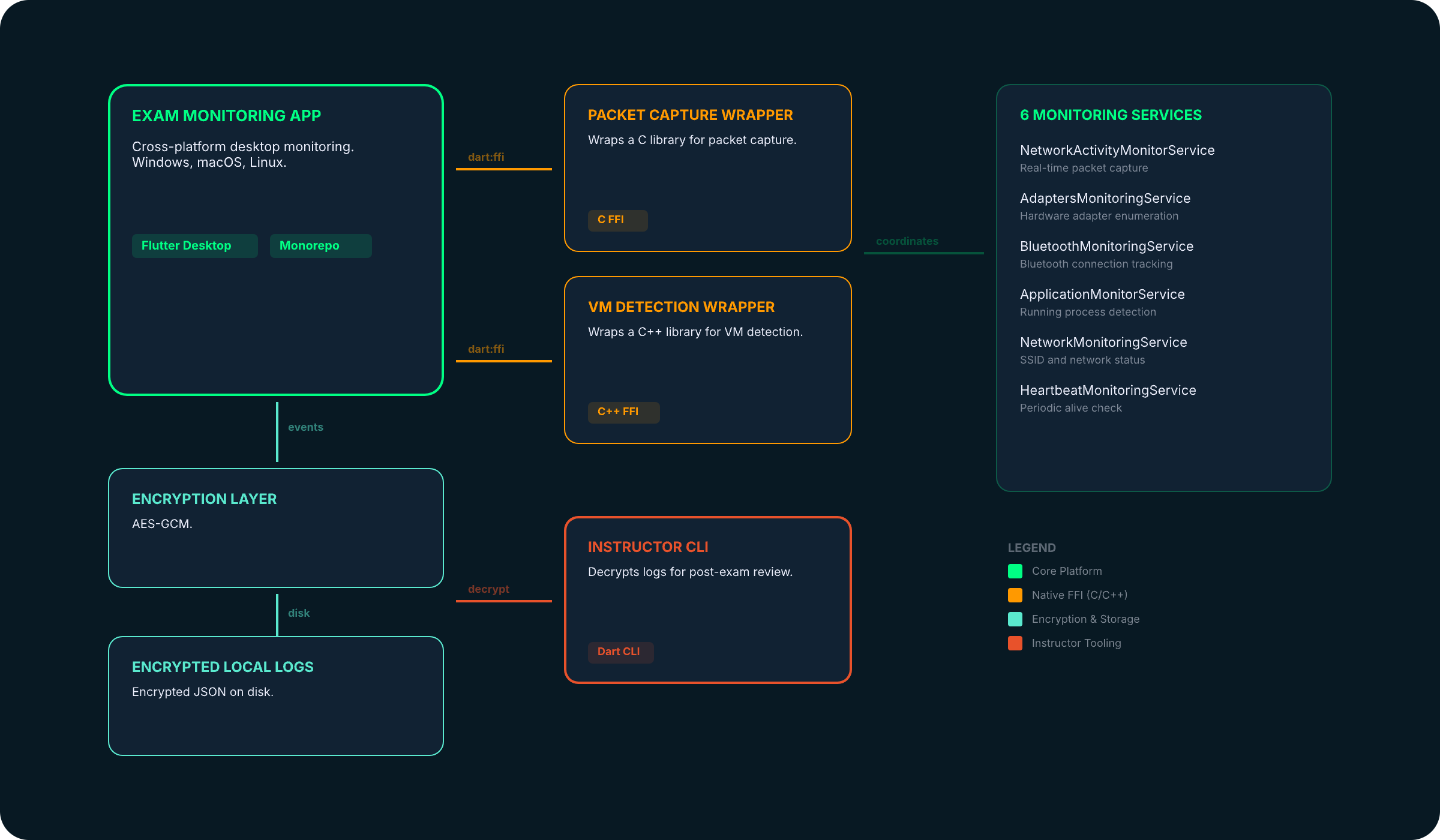
The app is structured as a monorepo. The Flutter UI coordinates six monitoring services, each extending a common MonitoringService base class. Two services (packet capture and VM detection) use FFI wrapper packages with auto-generated bindings. All log events pass through an encryption layer before hitting disk.
We wrote up the FFI work behind this build in detail. Read the insight post →

Built with Flutter for Windows, macOS and Linux from a single codebase, in Dutch and English. Native C and C++ code compiled per platform via CMake and CocoaPods.
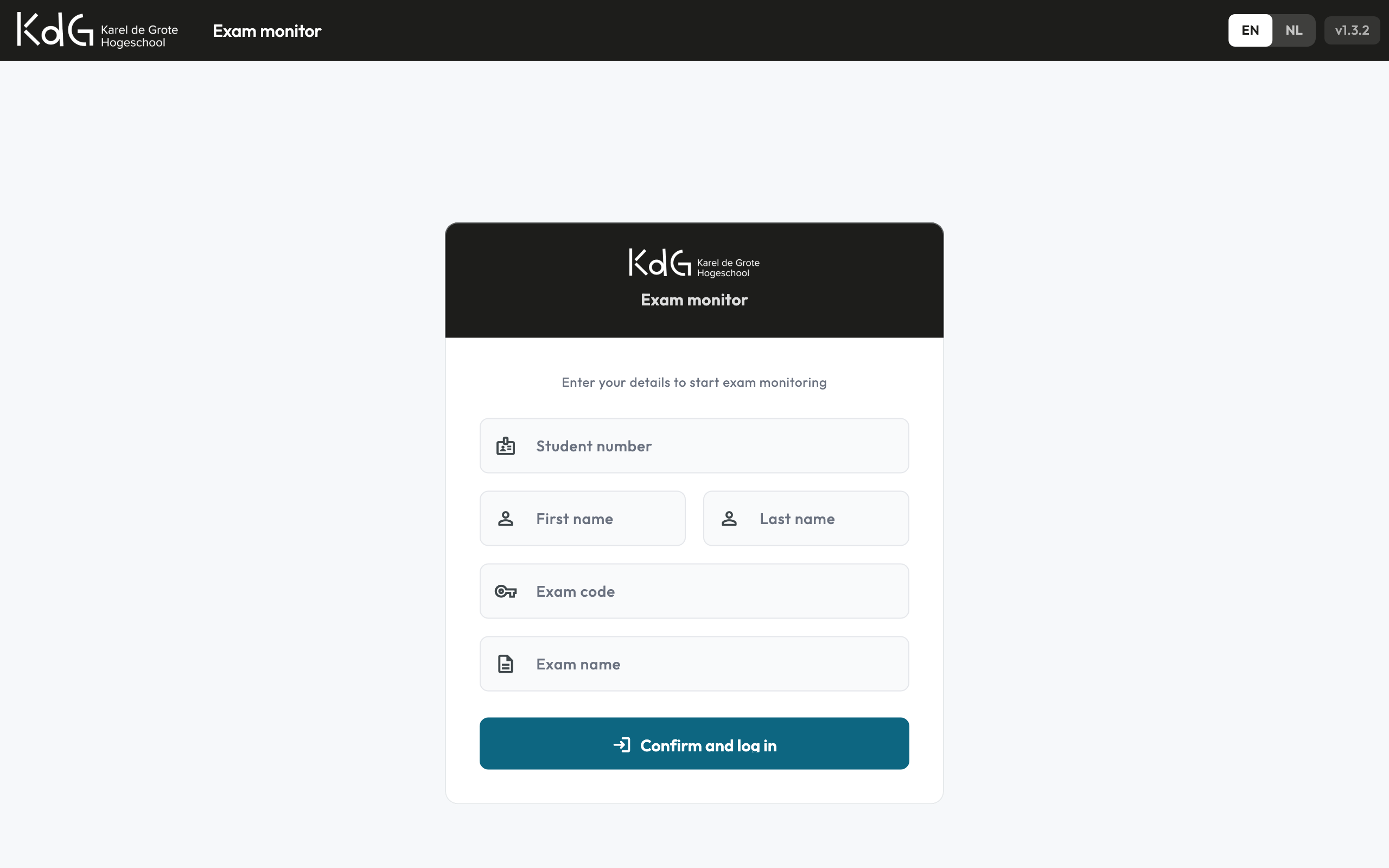
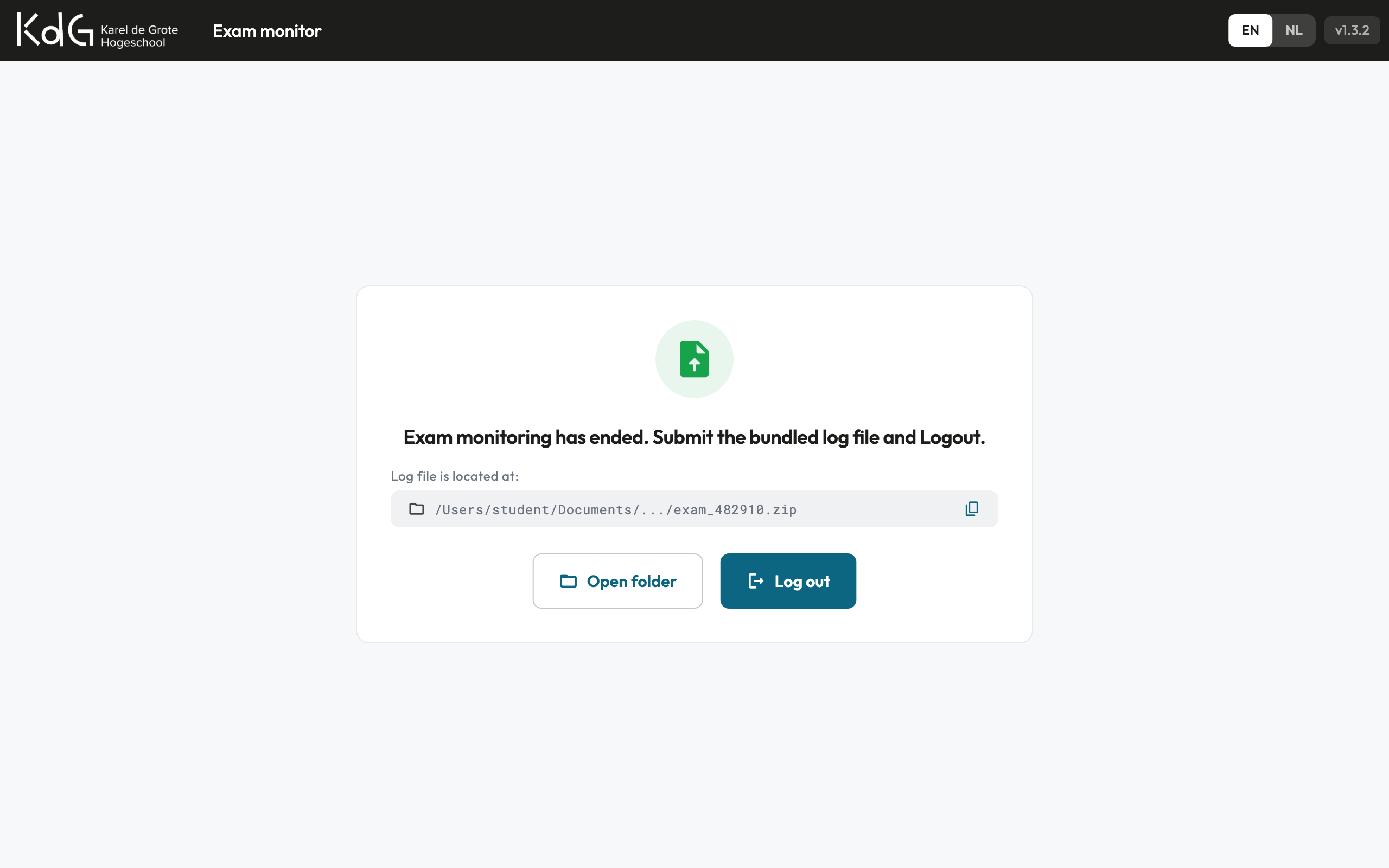
The student logs in with their name, student number and exam code. the tool checks the machine and says what to change, in plain language: disable this Wi-Fi adapter, turn off Bluetooth. Once everything is in order the exam starts. When it ends, the app points at a single zipped log for the student to hand in along with their work. Instructors open those with a Dart CLI tool, which turns each one into a timeline of what happened on that machine.
Run the same exams at your own institution?
Karel de Grote Hogeschool built this for its own exam halls and is open to licensing it to other institutions. Same app, your branding, your rules on what gets checked, adapted and integrated by the team that built it. Tell us how you run exams today.