Scan & Order for
Construction Pros
Scan & Order for
Construction Pros


scan & order
Santens, a leading wholesaler in construction hardware and tools with over 85 years of experience, wanted to streamline the reordering process for their professional customers across five locations in Flanders.
Many of Santens' customers, carpenters, contractors, and interior specialists - still relied on manual or paper-based reordering processes on-site or in their workshops. They needed a mobile app that allowed quick reordering by scanning product barcodes, while leveraging their existing Magento-based e-commerce platform.

Bridging the gap between on-site construction work and digital ordering required a solution that works reliably in tough workshop environments while integrating seamlessly with existing e-commerce infrastructure.
Together with our sister company eWings, who developed the Magento Open Source webshop, we implemented our proven Scan 2 Order module. Using our six-step framework, we validated the concept, designed the integration, and delivered a mobile app that transforms how Santens' customers reorder.

1. IDENTIFY & VALIDATE
We analyzed Santens' customer ordering workflows and identified the pain points: manual product code entry, paper catalogue lookups, and error-prone ordering from job sites. Research confirmed that a mobile scanning solution would significantly reduce friction for their professional customer base.
1. IDENTIFY & VALIDATE
We analyzed Santens' customer ordering workflows and identified the pain points: manual product code entry, paper catalogue lookups, and error-prone ordering from job sites. Research confirmed that a mobile scanning solution would significantly reduce friction for their professional customer base.

2. IMPACT MAPPING
We mapped how each feature would drive business outcomes. Barcode scanning reduces order errors and speeds up reordering. Real-time sync ensures pricing accuracy. Smart redirect to Magento preserves the familiar checkout flow. Each design decision was tied to measurable improvements in order speed and accuracy.
3. TECHNICAL AUDIT
We assessed Santens' existing Magento e-commerce platform and eWings' webshop implementation to determine the optimal integration approach. The audit confirmed that Magento's API could support real-time product data sync, and identified the Scan 2 Order module as the ideal foundation for the mobile experience.

4. INTERACTIVE PROTOTYPING
We built prototypes optimized for real-world conditions - dusty workshops, construction sites, and warehouses. Testing with actual tradespeople validated the scanning UX and identified improvements for one-handed operation and glove-friendly touch targets.
5. DEVELOPMENT & LAUNCH
Built with Flutter for cross-platform iOS and Android support, the app integrates with Magento's API for real-time product details, stock levels, and pricing. The smart redirect flow ensures seamless handoff to the webshop for order finalization. The app launched with a pilot group of Santens' most active professional customers.

6. ITERATE & OPTIMIZE
Post-launch analytics revealed which products are most frequently scanned and which ordering patterns emerge. This data informs feature enhancements like favourite products, quick-reorder lists, and optimized scanning performance for the most common barcode formats.
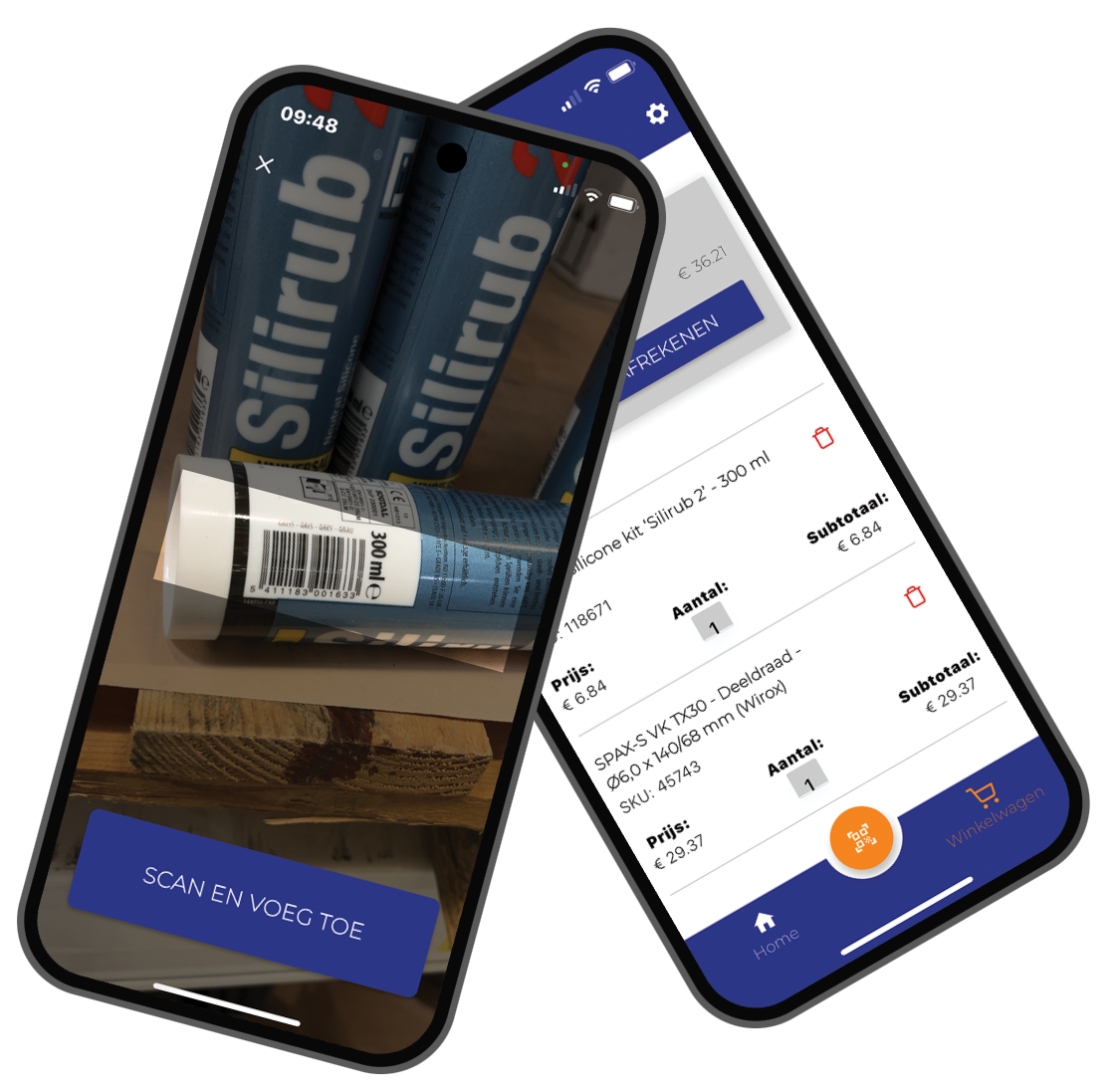
The Scan & Order app empowers Santens' professional clients to restock directly from the job site, workshop, or warehouse. Just scan and go. No more typing in product codes or searching through paper catalogues. Customers experience faster ordering, fewer mistakes, and better integration with their existing purchasing workflows.
Facing a similar challenge?
From scan to order in three simple steps
Scan Barcode
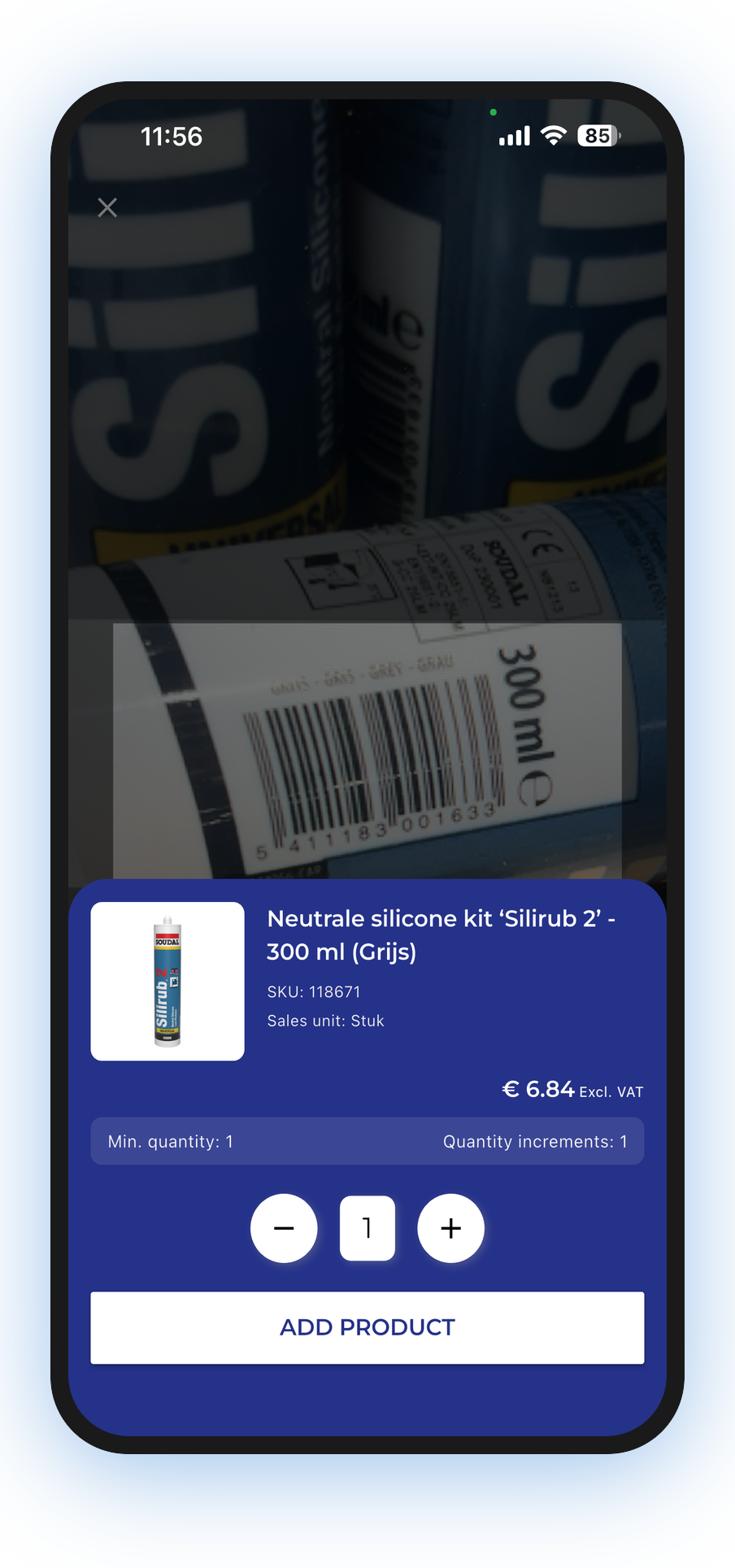
Point your phone at any product barcode to instantly look up details and pricing.
Add to Basket
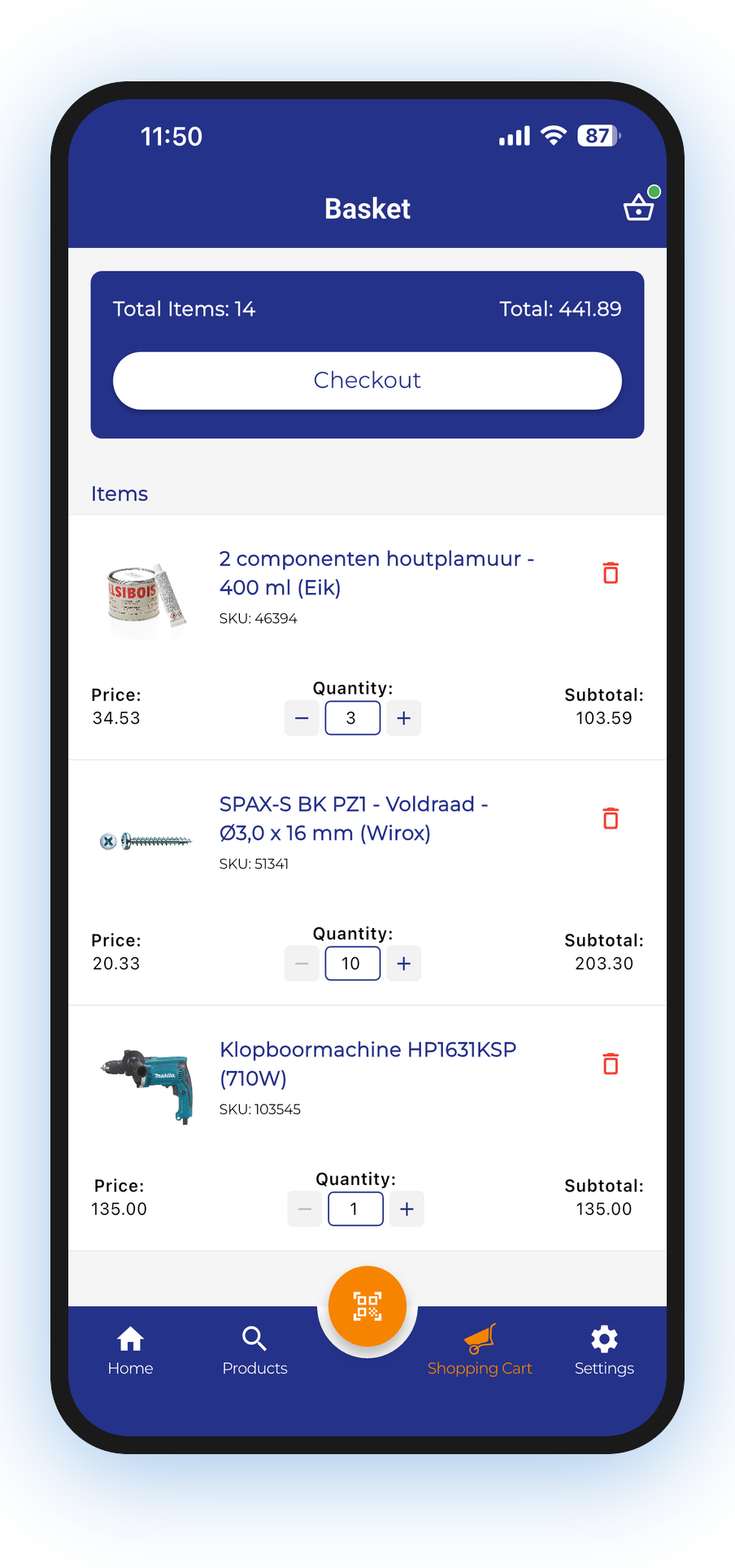
Add scanned products to your shopping basket with the right quantities in one tap.
Order via Magento
Complete your order through the familiar Magento webshop checkout with all items ready.
Built for the Job Site
Every feature was designed for the reality of construction professionals who need to reorder quickly and accurately.
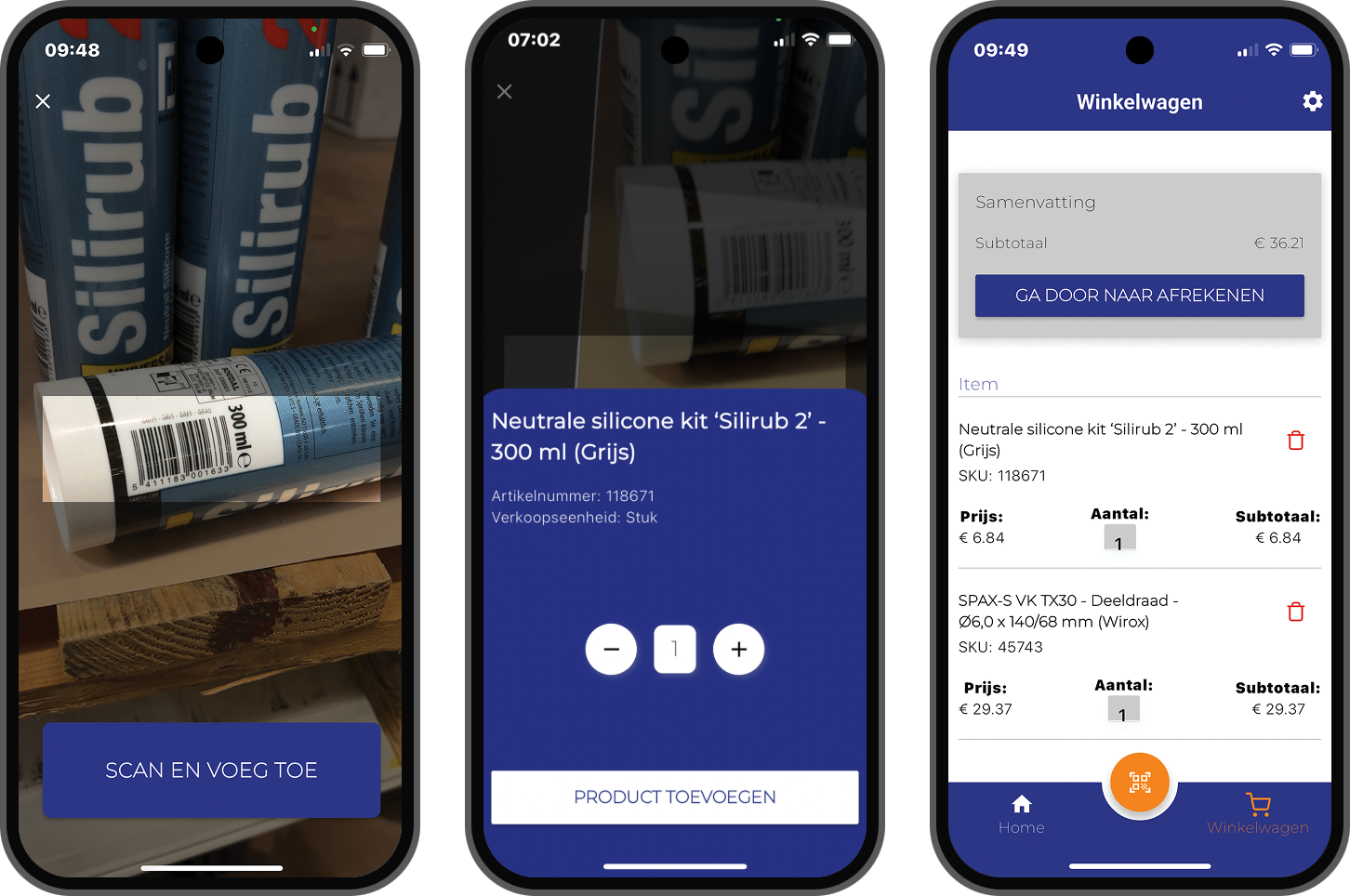
Instantly add items to the shopping basket by scanning product barcodes. The scanning engine handles damaged labels, partial codes, and low-light conditions common in workshops.
After scanning products, users are seamlessly redirected to the Magento webshop for order finalization, maintaining the familiar checkout experience they already know.
Product details, stock levels, and pricing are synchronized in real-time between the mobile app and the Magento platform, ensuring every order reflects current availability and pricing.
The interface was designed for real-world conditions - large touch targets for gloved hands, high-contrast display for outdoor use, and minimal steps from scan to order.
Flutter meets Magento through the Scan 2 Order module
The Flutter mobile app uses the Scan 2 Order module to connect with Santens' Magento e-commerce platform via eWings' API integration. Product data, pricing, and stock levels sync in real-time, while the smart redirect flow hands off to the familiar Magento checkout for order completion.
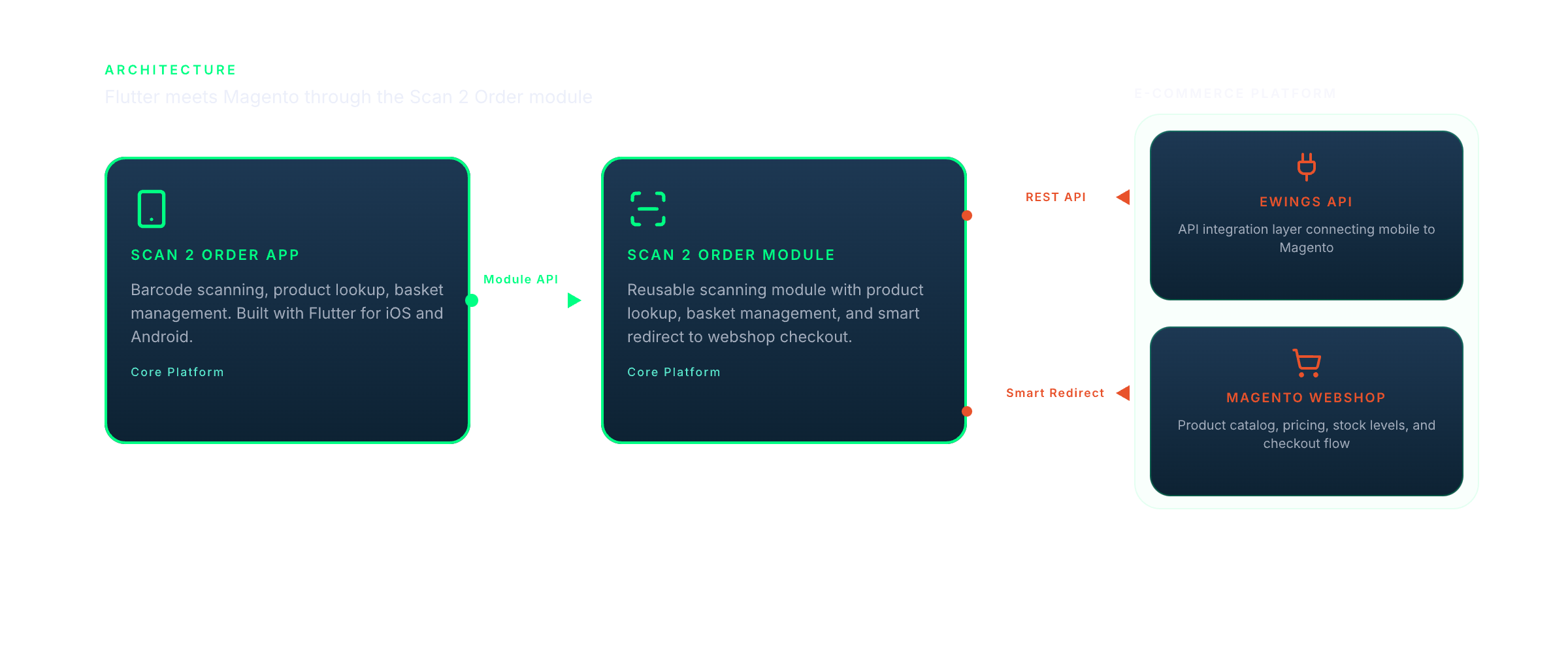

Built with Flutter for a consistent, native experience on both iOS and Android.
The mobile app leverages Flutter's cross-platform capabilities to deliver a consistent experience across devices. It integrates with Santens' existing Magento e-commerce infrastructure through eWings' API, providing real-time product data and a streamlined scanning-to-ordering workflow that fits naturally into tradespeople's daily routines. The Santens ScanApp is available on the Google Play Store.
Have a similar challenge?
Tell us about your project in a free 30-minute discovery call. We'll share how we'd approach it, no strings attached.